


ABOUT THIS PRODUCT
Did you ever want to play your Dreamcast games with a wireless controller, but couldn't find a viable solution?
You don't need to wait any longer!
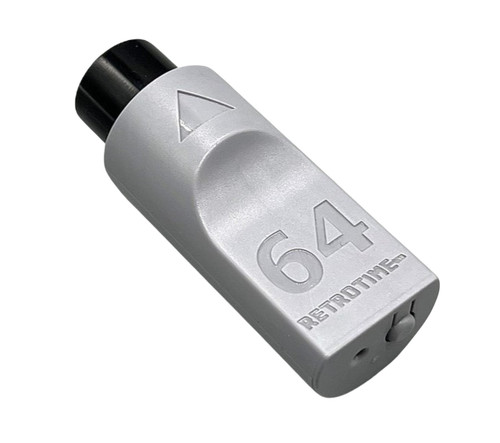
The DC BlueRetro Controller Adapter is a an adapter for the SEGA Dreamcast that allows you to connect bluetooth controllers like the PS4, PS5, XBOX, Nintendo Switch, 8BitDo gamepads and most other BT based controllers.
Not only that, but it also adds a virtual memory card for your saves, that you can download and backup through its web interface! It can also support a rumble pak, if your controller supports rumble!
Features:
- Re-mappable buttons
- Easy to use web interface
- Over the Air firmware updates
- Plug & Play
- Rumble and memory pak support* (virtual only - no VMU support)
- Save memory capacity equivalent to 1 VMU (200 blocks).
Pairing Process:
- Plug the adapter into your Dreamcast console.
- The LED will start to flash, this indicates pairing mode is active.
- Pair the controller of your choice
- After the controller is paired, it will automatically connect after a button press from now on
Button functions:
Short press (outside BT inquiry mode): Disconnect all Bluetooth devices from the adapter.
Short press (BT inquiry mode): Cancel Bluetooth pairing mode.
3 second hold: Enable Bluetooth pairing mode (new pairing).
10 sec hold: Factory resets the adapter to default configuration and clears BT pairing keys.
LED Status:
Solid: An error occurred, try shutting off your console and re-plug the adaptor.
Pulsing: Bluetooth pairing mode active (pairing).
Off: No errors, Bluetooth pairing mode disabled, controller connected.
Web Config Information:
Web Config is only available if no controller is connected. Supported only in Desktop or Android Chrome.
How to access the Web Config:
Power on system and connect via Web Bluetooth at BlueRetro Config to configure adapter. Button remapping and preset instructions can be found here.
Updating firmware via Web Config (OTA FW update):
Download the latest firmware from the BlueRetro GitHub page. Unzip the firmware file. Open a tab/window in your web browser and navigate to Blueretro Update Click “Connect BlueRetro” button. Select the “BlueRetro_dc_spiffs.bin” from the unzipped firmware folder. The “Live Output” will scroll through with the update process. On a PC, the update can take around 5 minutes. On Android, the update can take significantly longer.
This adapter is made possible by the amazing Blueretro open project by Darthcloud: GitHub
*must be enabled in blueretro config. Does not support VMU's and does not include a VMU style display. Capable of rumble support for controllers that support it.