
null

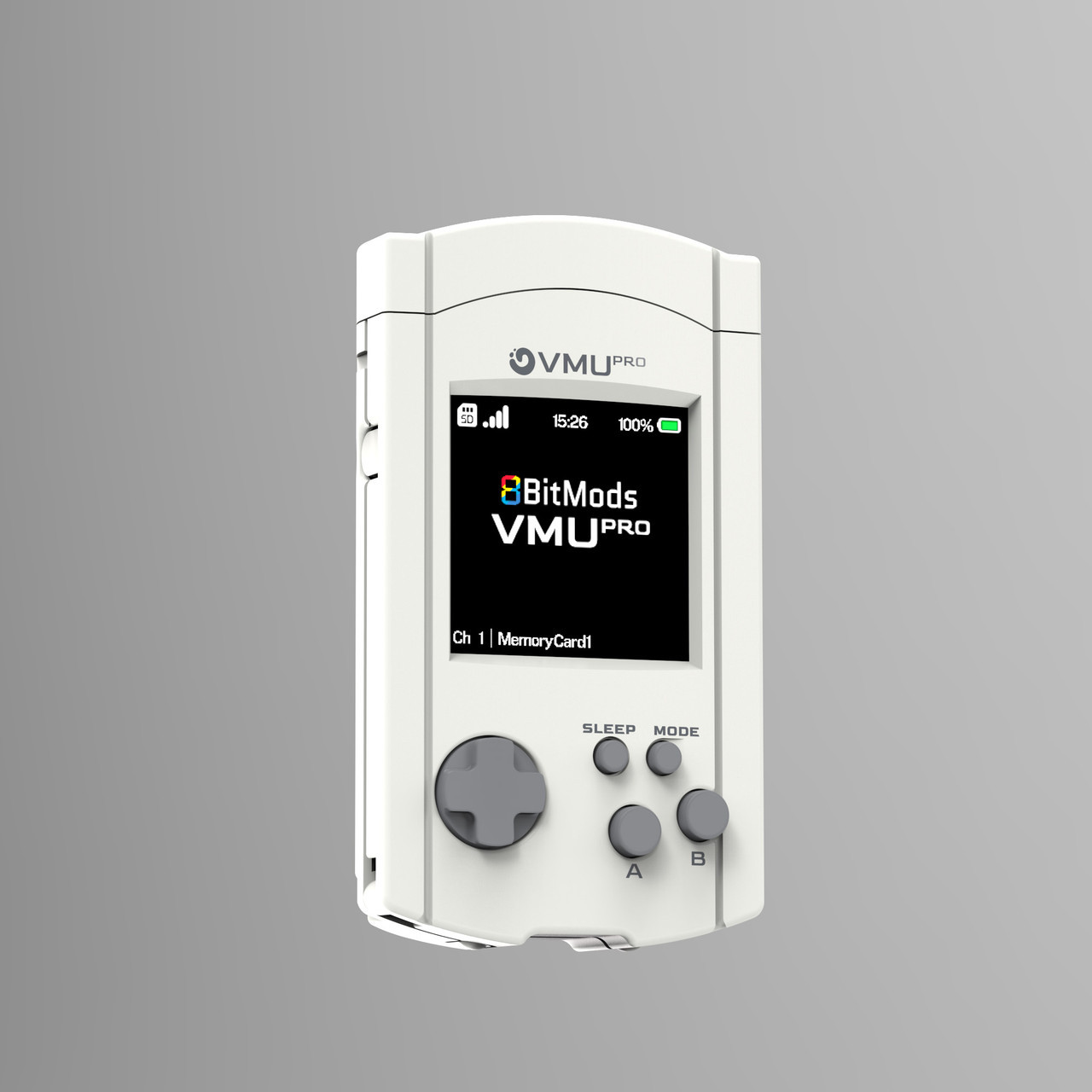
VMU Pro Handheld & Visual Memory Card for Sega Dreamcast

$114.99
(21 reviews) Write a Review
WIN $100 FOR WRITING A REVIEW! LEARN MORE
SKU:
SAG8BMVMUPRO
VMU Pro Handheld & Visual Memory Card for Sega Dreamcast

Introducing the VMUPro

The last visual memory card you'll ever need for your Dreamcast. But it's not just for your Dreamcast.
The VMUPro has the ability to run applications and 8-bit console emulators turning it into a small handheld. Enjoy your favorite games from consoles like the Game Boy & Game Boy Color, NES, Game Gear and Master System on its amazing Backlit IPS TFT 16-bit Colour display.


The power of MemCard PRO

The VMUPro comes with all the features you loved from our MemCard PRO memory cards and builds on them to provide an even better experience tailored to its 1.5" Colour display. Automatic game detection through our innovative GameID system and multiple channels per game come as standard and can be stored on an up to 2TB microSD card (not included). A single gigabyte on your SD card is equal to 8192 original memory cards!

We've also added an amazing virtual memory card manager directly on the device! Cut/Copy and Paste your saves between virtual memory cards, delete them at will, or transfer them to another VMU or VMUPro by connecting the cards together. If you have more than one VMUPro, you can also transfer your saves between them wirelessly!


Wi-Fi + WebUI Reimagined

The VMUPro comes with our new unified WebUI which offers a more streamlined and user-friendly experience to manage your saves with ease, see playtime statistics, save game artwork and manage the device settings.


VMU Mini-games

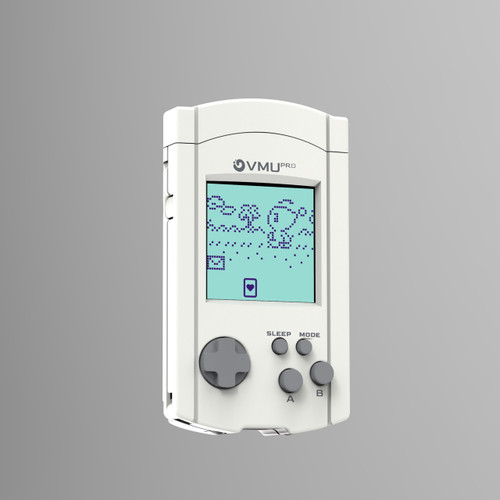
It wouldn't be a VMU if it couldn't run your Dreamcast mini-games! The VMUPro is utilising a full EVMU Emulator to accurately run your original VMU mini-games. You can also choose up to 5x scaling, enable or disable a pixel effect or even choose your own colour theme!


8-bit Console Emulation

The VMUPro comes with 5 emulators as standard that let you play your favourite Game Boy, Game Boy Color, Game Gear, Master System and NES games directly on your VMUPro! All emulators support SRAM saving and 8 slots of save states for each of your games. The Game Boy emulator also comes with multiple palette options to give that game the original look you love. And all handheld emulators let you choose between original pixel rendering or 1.5X scaling mode to fill the screen. All that while running at full 60 fps!


Full-range Audio & Bluetooth LE

The VMUPro has a mono 0.7 watt speaker on-board that can play all your favourite tunes, from the beeps of the VMU mini-games, to the 8-bit emulator music or full-range 44.1khz mp3 audio! It can get loud, so it would only make sense to add support for Bluetooth LE Audio to enjoy your games or music anywhere!


Great battery life

The original VMU suffered from terrible battery life due to the dual coin cell batteries that had to be used for it. So getting this right was important to us.
The VMUPro has a 720mAh battery that can give you up to 6 hours* battery life when used at its most demanding task: playing emulator games.
It's also able to stay in deep sleep (stand-by mode with real-time clock active) for a full month! And if you really need to preserve that battery life for months later, you can fully shut down the device too!


A great future ahead

We love extending the capabilities of our devices beyond what they were originally designed for almost as much as making them in the first place. The VMUPro will receive continuous improvements and new features during its lifetime in the form of free firmware updates. We have quite a few surprises planned for the future, some of which will be available even before the first wave pre-orders start shipping!


Full list of launch features

  • Dual-core 240MHz CPU with WiFi and Bluetooth LE connectivity
  • Up to 2TB storage on a microSD memory card
  • USB-C charging and data transfers or charge through the controller.
  • Backlit 24-bit Colour IPS TFT 1.5" display at 240x240 pixels resolution (running in 16-bit mode at launch)
  • Save and manage your Dreamcast saves directly on the VMUPro
  • Supports native GameID for most disc or ODE based games.
  • Supports OpenMenu GameID for game detection
  • Assigns multiple channels per virtual memory card that you can swap in-game with the press of a button
  • Transfer and share saves with other VMUs through direct VMU2VMU serial transfer
  • Share saves between VMUPros wirelessly
  • Automatically backs up your saves to the Cloud (Google Drive)
  • Import your old VMU saves through serial transfer and map them to a GameID virtual memory card automatically
  • Play original VMU mini-games with the power of eVMU
  • Choose between pre-defined colour palettes for your VMU games or Dreamcast in-game LCD graphics
  • Play games from 8-bit consoles through the included emulators (Game Boy, Game Boy Color, Game Gear, Master System and NES included)
  • Supports SRAM Saving and multi-page save states for all emulators
  • Full-range integrated 0.7 watt mono speaker at 44.1KHz for audio playback
  • Fully adjustable volume and display brightness control
  • Automatic power saving modes by dimming, display off, deep sleep and turn off modes
  • Fully integrated Real Time Clock with automatic NTP Synchronisation support (when used with WiFi enabled)
  • 720mAh Lithium-Polymer rechargeable battery continuously monitored through two on-board BMICs
  • 6-hour maximum emulator playtime with WiFi off, screen brightness 10%, Volume 10%; 4-hour playtime with WiFi on, screen brightness 50%, volume 50%. (Test performed with the Game Boy Color emulator running a game through its attract mode with various display and audio transitions).
  • Up to 750 Hours battery life on standby (deep sleep, real time clock on) with a full turn-off mode available for near zero battery drain.
  • OBS plugin for live-streaming and screen casting
  • Compatible with Retro-Fighters Controllers
  • Available in 7 amazing colours!


Planned features (available through firmware updates)

  • SDK for developing your own native VMUPro applications
  • Online app store to share and purchase new apps and games for your VMUPro
  • Additional emulators
  • Companion PC/Mac Application
  • Dreamcast Docking Station
  • Hardware add-ons
  • More shell colour options
  • ..More surprises!

What's included in the box

  • 1x VMUPro Handheld
  • 1x matching Maple Port cap (attached)
  • 1x wrist strap matching the colour of the VMUPro
  • Manual & Safety / Regulatory Information

21 Reviews

  • 4
    3.5 stars if I could...

    Posted by Richard G. on Oct 31st 2026

    I want to start by saying Stone Age Gamer is awesome and helped me out tremendously with this little device when I had questions. Shout out to them. Any critique here goes to the VMUpro not SAG. Those guys are doing awesome. As you`ll see below. So I rated this a four because I tend to go up w reviews, but if I could actually rate this thing it would have probably been a 3.5. I am the type to where if I am satisfied with something, I will go out of my way and give it a positive review.... whereas others tend to go and review something when they`re unhappy with it and do negative. That`s fine. I like to read the negatives too for my own info. we all leave good info either way to help each other..... That said, this little device kind of threw me off my guard and I`m still uncertain how to feel.... I absolutely love the idea and the build quality. It seems decent enough as well as a small game handheld, if it works.... however when I got it, there were some things that were strange immediately. I noticed that the battery life it seems to be very poor on it. although battery life was extremely poor on the original Dreamcast vmus as well..... I believe the two coin cell batteries on the original lasted a week or two at most.... on any vmu I`ve ever had. I think one time, in anomaly, it lasted about a month.... Point is it`s 2026 the battery should last way longer.... well the first one of these vmu Pros I got, I tried to fully charge it and I could never tell when the battery was charged because it would either have a battery symbol in the top right corner with a line through it, or sometimes it would have an explanation mark through the battery, or sometimes the battery symbol wouldn`t be there at all.... or other times it would seem to Blink..... I finally just kind of blew that off and said oh it`s not a big deal as long as the battery charges I`ll be okay.. Hah, okay I go ahead and put in an SD card and then install all of the little replicators and load the card up with files.takes me a day or two to get everything to where I`m happy. Well, come to find out these things are very sensitive with what SD card you use. so it crashed a lot and I could never mount it properly to save as a Dreamcast vmu... which was the main reason I got it for anyway. so that I don`t have to swap original VMUs all the time. I had to RMA the first one. The first one I got, the battery acted up weirdly for several days. I tried to live with it. I tried several different usb-c cables and USB C charging brakes because I know sometimes little devices like this are very finicky with the charging cable or the device but to no avail. I ended up sending it back for an RMA. To swap for another. I wanted it to work.

    This is where I`ll give the shout out to SAG. I sent my vmupro back and they communicated with me marvelously through email and chat communication on what was going on and their suggestions we ended up agreeing on me purchasing one of their SD cards because of how finicky it was and all of the ones that I tried that I owned personally such a Samsung PNY and Lex are all had known compatibility issues. My recommendation is if you buy one of these please buy one of their recommended SD cards that they will set up for you as well when you purchase. The second one that they sent me they confirmed it working and since I`ve received it is been so far so good..... but it`s been an interesting little journey to say the least.

    Some things I would definitely like to see updated on a firmware update if it all possible on this thing is that it can have a mode where it goes into a true sleep or a true turnoff mode it doesn`t seem like the sleep mode really does anything except turn the screen off and that`s not a true sleep mode in my opinion the battery will still drain very quickly. I`d also like to see a mode where you can turn it off as a jack of all trades kind of replicator device and make it a vmu only device to where it can serve as a massive storage for all your games it doesn`t seem to have a mode like that currently right now at least not that I found. It does have sound but the sound is not very good and it`s not very loud but for such a little device I`m okay with that I just thought it would be important to disclose that if anyone was reading. I also feel like the two buttons on the bottom as well as there is one on the left side are kind of hidden and underutilized. All said I stand by a 3.5 as far as rating it as a working device against my second one that I got back and I only rated it that high because I love the idea want to support the community and the developer for this thing and how well Stone Age gamer helped me with my order into make sure I was happy.

  • 4
    Mostly Does it All

    Posted by Gee Gracin III on Oct 28th 2026

    I love how this works and how i basically don`t need any more memory cards or VMUs for my Dreamcast, though i wish that it would be able to do VMU2VMU transfers from standard memrory cards as well. I have to transfer them using the Dreamcast itself to a VMU before the VMU Pro will do the transfer, even if its an official Sega Memory Card. Otherwise, I love it.

  • 5
    Great product

    Posted by Vik on Oct 6th 2026

    Amazing device love gaming on

  • 5
    Modern update

    Posted by Really neat device on Sep 29th 2026

    I really like this little device it serves as a modern memory card vmu as well as a little handheld game replicator with a really cool modern high quality screen charging is easy with USB C and you can bring your own SD card but make sure it`s formatted correctly I would like to have a couple of these for my Dreamcast systems but one will do for now

  • 1
    Fails in every category

    Posted by Rob on Sep 21st 2026

    I`ve had the VMU Pro for about a week and I hate to say it but it might be one of the worst retro gaming products I have ever purchased. This thing fails in just about everything it sets out to do.

    -Functionality as a Memory card
    This is the one thing you would hope this thing would be good at. It`s most basic core job is to be a memory card and it`s terrible at it. Very frequently it will just change which virtual card is mounted(I have all the auto select card options turned off, I prefer to just do it manually). I`ll set it to a specific channel, plug it back in, launch my game and it just goes back to card #1 for no reason. The thing also just doesn`t charge sometimes so it will just drain and die unless I make absolutely sure it is charging which usually involves removing it and reinserting it to get it to work again. Connection to the controller is very unreliable in general, I`ve had it disconnect while playing several times and this usually leads to progress being lost because some games don`t handle removing the VMU midgame very well. This is across multiple controllers too, it`s the VMU Pro itself not my controllers.

    -Functionality as a VMU
    Using the VMU Pro as an actual VMU might be where its at its worst. First of all, everything you do in a VMU game must be manually saved. The sleep mode is also not actually real and just makes the screen say ``SLEEP MODE`` on it while remaining fully powered on. So, since the sleep mode doesn`t work you have to manually save and exit the VMU mode every time you`re done playing, even if you plan to pick it back up in a few minutes, just so you can conserve battery life because the battery on this thing is atrocious. Oh and if the battery drains, that`s it, it just shuts off. There aren`t any warnings either and there`s no way to check on the battery percentage without fully exiting the VMU replicator. Another huge problem with the VMU replicator is that, much like every other aspect of the unit, it`s unreliable. Several times now I have resumed a VMU game after saving and quitting, only to come back and see that the game is completely reset and my progress is gone.
    A feature that I would also like to see, which the VMU Pro just cannot do, is to just be able to leave the VMU replicator mode on at all times and have it function, well, as an original VMU. I much prefer having the classic look and feel of the original VMU and I would like to just avoid the Pro`s ugly and slow menus all together. As it is now the VMU replicator mode is strictly only for VMU games and nothing more.

    -Build Quality and overall Usage
    Overall the thing just feels cheap. The buttons are terrible and I get misinputs all the time. The OS of the system is pretty embarrassing, every time you go to the games tab it locks up for like 45 seconds, even when it`s not completely frozen it just feels pretty slow. Battery life is terrible, just playing basic VMU games will drain it completely in about 2 hours. I don`t really know why this thing is wifi enabled either, that`s probably harming the performance and poor battery life even more you really don`t need wifi when you have both USB C and a micro SD card.

    For $140 I`m pissed. This thing feels like it should maybe cost $40 at most. It can`t do anything right. I hope the VM2 is better because I`m throwing this piece of crap away and getting one of those instead. Don`t be fooled by the lame gameboy replicators it has built in, the VMU Pro is not worth your time or money.

  • 5
    The Best Upgrade for the Dreamcast

    Posted by UMEIYUME on Sep 16th 2026

    I recently picked up a dreamcast a little over a year or two ago, and found that the hardest part of the system to manage is storage. You have to choose between the VMUs with all their cool bonus features like the screen, at the cost of only having 200 blocks each and eating up batteries, or getting a boring memory card with more storage but no screen or extra features. The VMU pro solves every issue the original VMUs had, thankfully! It does come at the cost of being a little bit confusing to set up initially however. Once you get everything set up though, it works great! I personally use mine strictly as a VMU replacement, i.e. playing VMU minigames and saving games onto it, so I can`t speak for the extra features like replication and stuff it has on it, since I haven`t touched any of those. Overall, though the cost of entry is steep, I think it`s worth it to have a practically infinite memory card for the dreamcast, especially considering just one VMU can run you $15-30 normally. The battery life is also a MASSIVE upgrade as well, I`ve been taking it on the go with me to play Chao Adventure 1+2, and it`s been getting me around 3-4 hours of play with the screen constantly on. Overall, can`t recommend investing in one of these enough for dreamcast owners!

  • 5
    Love this VMU

    Posted by Craig Kergald on Aug 16th 2026

    This VMU works great, the game ID detection seems to work for every game I`ve tried with it and its really nice knowing I will never run out of space for saves.

  • 5
    VMU Pro Gren and Blue

    Posted by Reviewer on Jul 11th 2026

    These 8BitMods VMU`s are awesome! The colors pop and I love the transparency. The smallest microSD card can hold so much, from your gameplay saves and mini games, to your files for the 4 systems it replicates!

    If you just want a pocket replication device, this works great, if you still have a regular or upgraded DC, it`s so much more improved over the original VMU and the color screen is great too!

    I highly recommend this product.

  • 5
    VMU pro

    Posted by Eva Buendia on Jun 12th 2026

    At first I did not see the point of this I thought it was just another Dreamcast memory card, but after using it more, it turns out to be a really good MP3 player that I end up using on a daily basis. The controls are a little hard to get used to in the beginning because Sega reverses the a and b buttons unlike Nintendo, but after using it for a few days it`s not too much of a hassle. This is the second unit that I bought, I can`t wait to buy another one, hopefully there`s a sale coming up!