

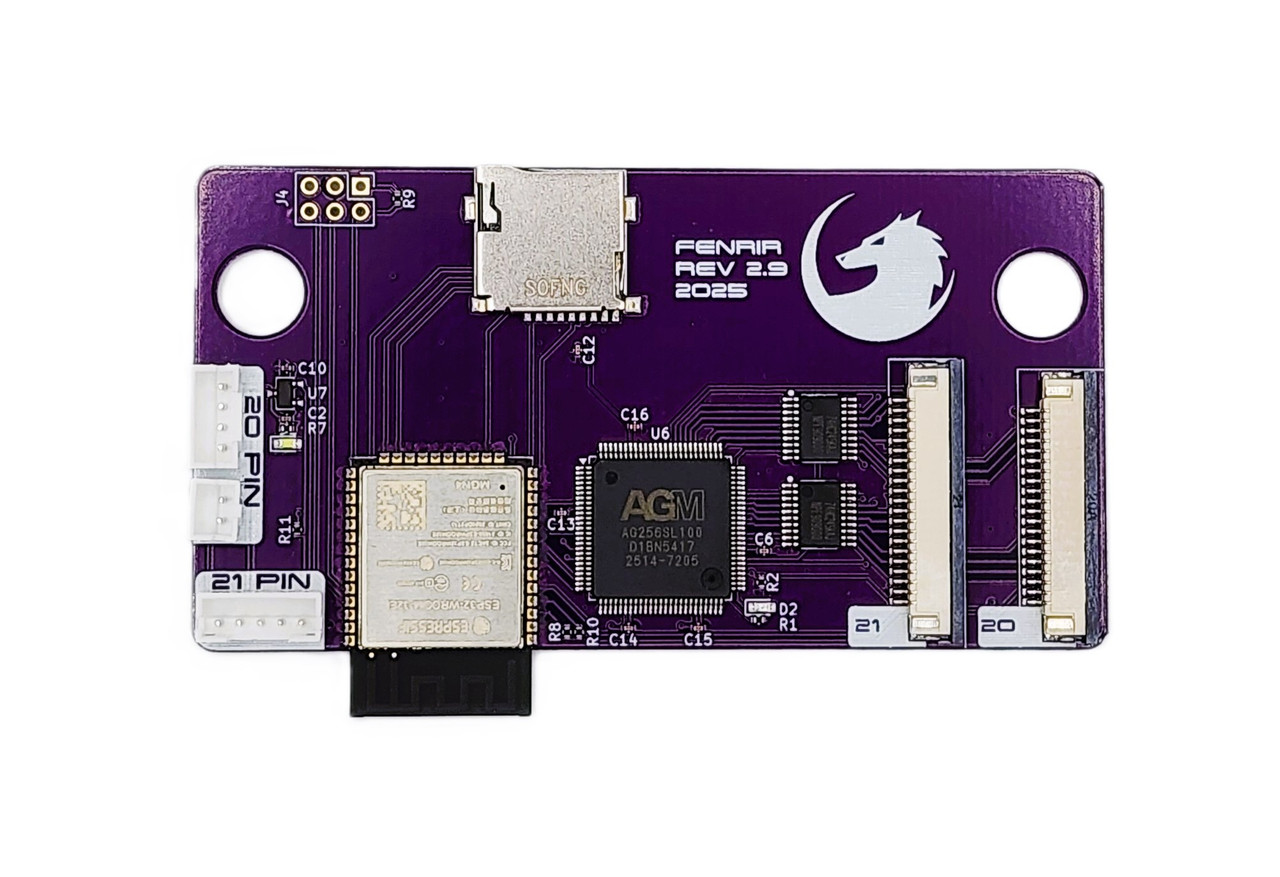


Fenrir is an Optical Drive Emulator (ODE) for the Sega Saturn.
With Fenrir, you’ll never use your old CD drive. Simply replace it with the Fenrir by removing the disk drive and plug both Fenrir cables. No soldering required.
You will be able to store all your games on the microSD, launch homebrews and games and load them faster from the menu.
Features
- Supports all models ! (20 / 21 / V-Saturn / Hi-Saturn / Tectoy)
- Improved loading time with the SD card.
- Support any microSD (and SDCard with an extender) of any size.
- Easy to add games with the microSD.
- Support .ccd/.iso/.bin and redump rips.
- Support FAT32 and exFAT
- Region free !
- Supports the Sega Saturn Movie Card !
- Model autodetection
- Supports up to 2499 games per SD card.
- IGR to return to the menu. (Press ABC + Start)
- Supplied with 20 and 21 pins flex ribbon
The installation is very easy as there is no soldering to do! The kit comes ready to use.
We highly recommend adding the optional 3D printed mounting bracket, which mounts the Fenrir in a position to easily access the micro SD card, as well as nicely covers the hole where the CD-Rom was.
https://www.fenrir-ode.fr/installation/
How do I know if I have a 20 or 21 pin Console?
20 pin drives are motherboard revisions VA0, VA0.5, VA0.8, VA1.
Please note some VA1 revisions come with a 21 pin drive instead of a 20 pin drive.
In order to find out if your console has a 20 pin drive without opening it, you can look for a screw at the back, next to the power supply socket.
If you see 3 screws, then it’s a 20 pin VA0. If not, then you need to check that the power and reset buttons are oval in shape and not round.
Another way to check, is to open the CD lid and look towards the back of the CD mechanism, to the gap on its right side.
If you see a white ribbon cable running towards the back, then you have a 20 pin drive.
If none of the above helps, then you most likely have a VA1 console and you need to open it to make sure your drive uses a 20 pin ribbon.
Note about the optional Wuxi kit: If you want to keep your original CD-Rom and run both the Fenrir and CD-Rom options instead of removing your CD Drive, we offer the optional Wuxi hardware for that purpose. See more on the Wuxi listing HERE.